
How do I search for products?
How do I search for products — quick answer with steps and helpful context for Javern users.
Updated 31 July 2026
Overview
The search bar helps you find exactly what you're looking for across every Javern store.
Search on the mobile app
- Open the Javern App from the App Store or Google Play Store.
- On the taskbar, tap the search icon.
- Type what you're looking for — a product name, brand, store, or description like "cargo pants" or "linen shirt".
- Tap the suggestion that matches, or tap the search key on your keyboard to see all results.
- Use the filter and sort options at the top of the results page to narrow things down. See How do I filter products? and How do I sort products?.
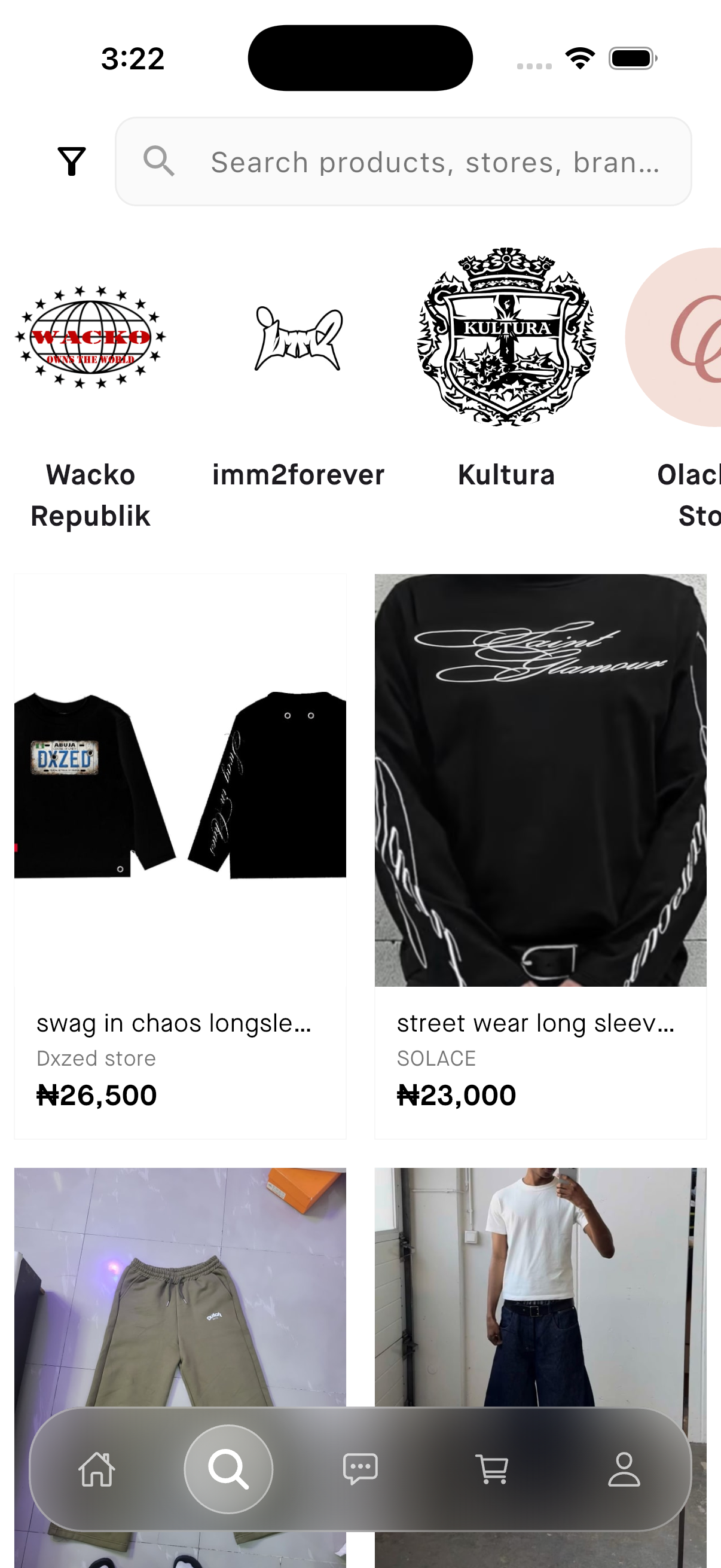
Search on the website
- Visit our website Javern.
- Click the search bar at the top of the page.
- Type what you're looking for and press Enter.
- Refine results with the filter and sort controls on the left of the page.
Tips for better results
- Start broad ("dresses") and narrow down with filters instead of typing very specific phrases.
- Check spelling — a small typo can hide the product you want.
- If nothing shows up, try synonyms like "sneakers" instead of "trainers".
Still need help?
If this didn't fully answer your question, contact our support team and we'll follow up.
Was this article helpful?
Can't find what you need? Reach out to our team.